



Founded in 2000, Neosoft Technologies is an engineering company specializing in software development and electronic solutions. Moreover, we stand out for our expertise in systems integration, combining instrumentation and control with fast, professional, and customized services for a diverse clientele.
In addition, our commitment to quality is demonstrated by our ISO 9001:2015 certification*.
About Neosoft
Our Methodology
*The Neosoft Technologies office located at 230-4800 de Rouen, Montreal, has been audited.
Our Partners
Careers
News & Events
A local presence, global solutions — sensors, software, and custom engineering tailored to your application needs.
News & Events
Careers
Our blog articles
We share our insights, ideas, and solutions to help simplify your technical day-to-day.

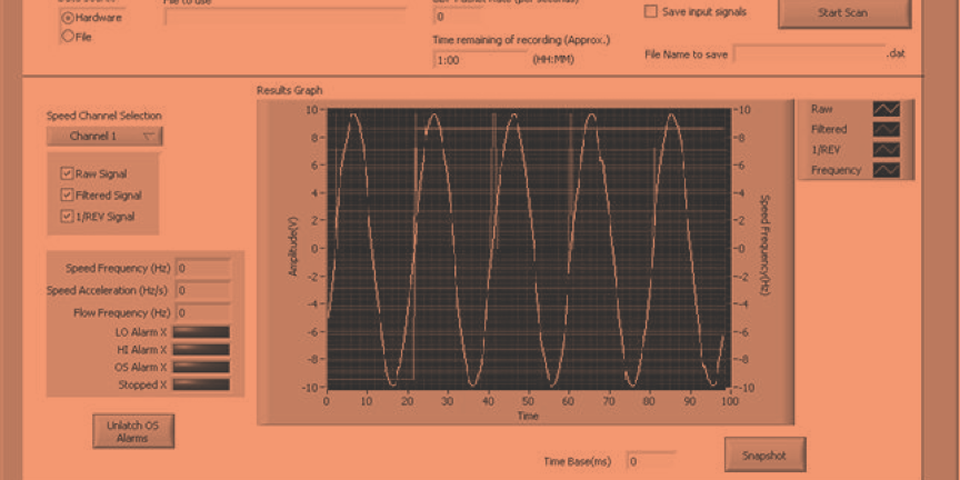
Predictive Maintenance: Harnessing Your Industrial Data
Predictive maintenance is transforming industry by detecting failures early through continuous machine data analysis. With custom data acquisition systems, Neosoft
Neosoft NI Partner Gold 2026 | Recognized Expertise
Blog Neosoft Technologies Company Blog Neosoft Becomes an NI Partner Gold 2026: A Major Recognition of Our Expertise We are

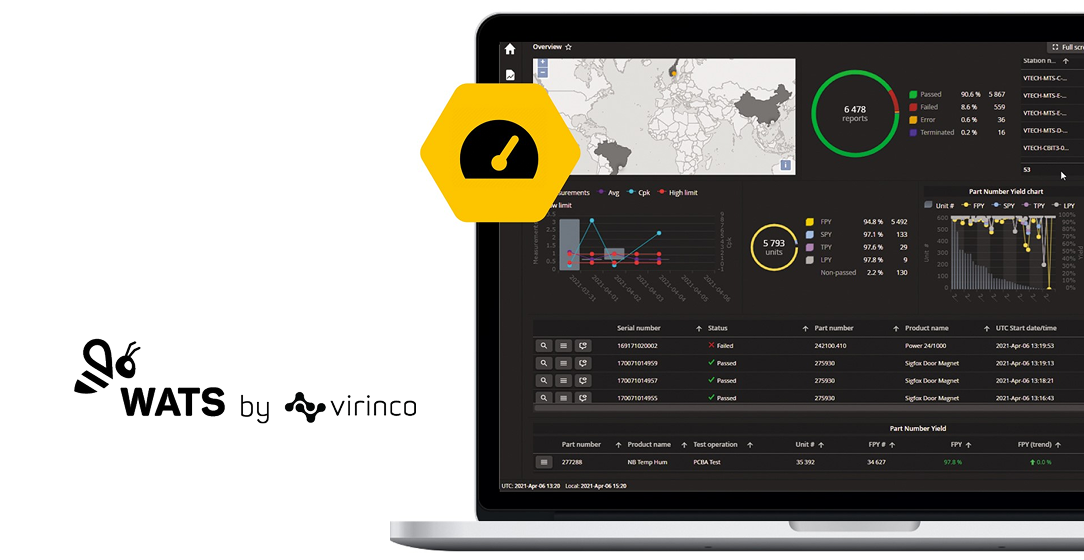
Digitalization: Centralize Your Test Data with WATS
As test data multiplies across benches, production lines, and maintenance operations, manufacturers struggle to turn this information into actionable insights.
Blog
Our articles:
Calling a VI from the Stimulus Profile Editor: Is It Possible?
4 April 2017
Calling a VI from the Stimulus Profile Editor: Is It Possible?
NI VeriStand is a highly open environment that offers a compelling solution for a wide range of applications—from rapid prototyping to HIL testing, and even simple real-time data logging. VeriStand can run custom LabVIEW code in many of its components: in the real-time engine (Custom Devices, models), in the UI/workspace (Custom Tools), or even control VeriStand directly from LabVIEW using the VeriStand .NET API.
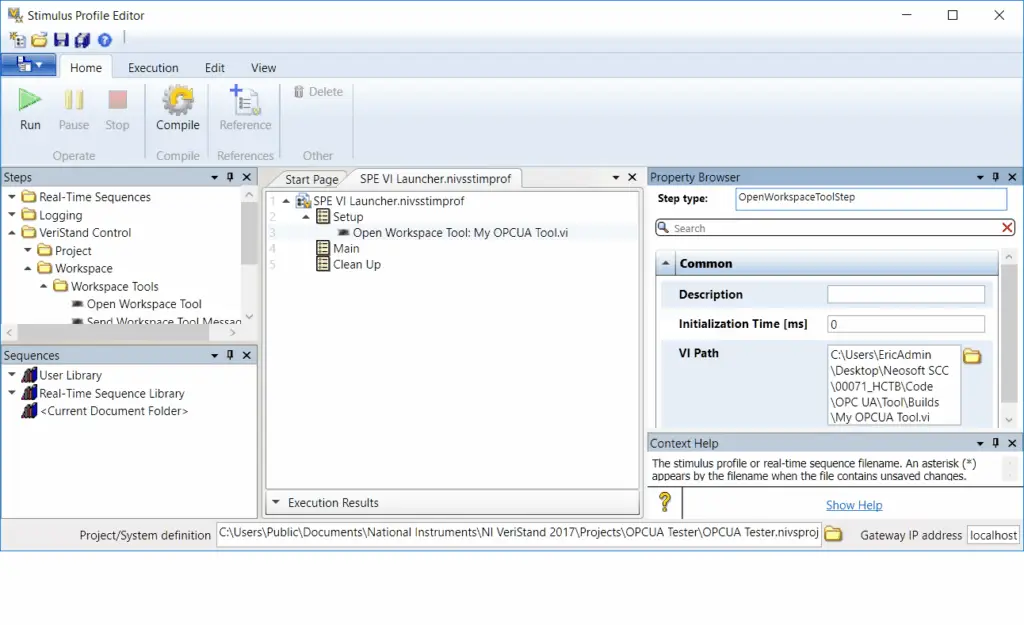
In addition to all this, when executing real-time stimuli and sequences to run automated test scenarios in VeriStand, the Stimulus Profile Editor offers an interesting feature: the “Open Workspace Tool” step.
This step actually allows you to call any VI, as long as it includes all its dependencies (which can be done by creating a source distribution from LabVIEW)!
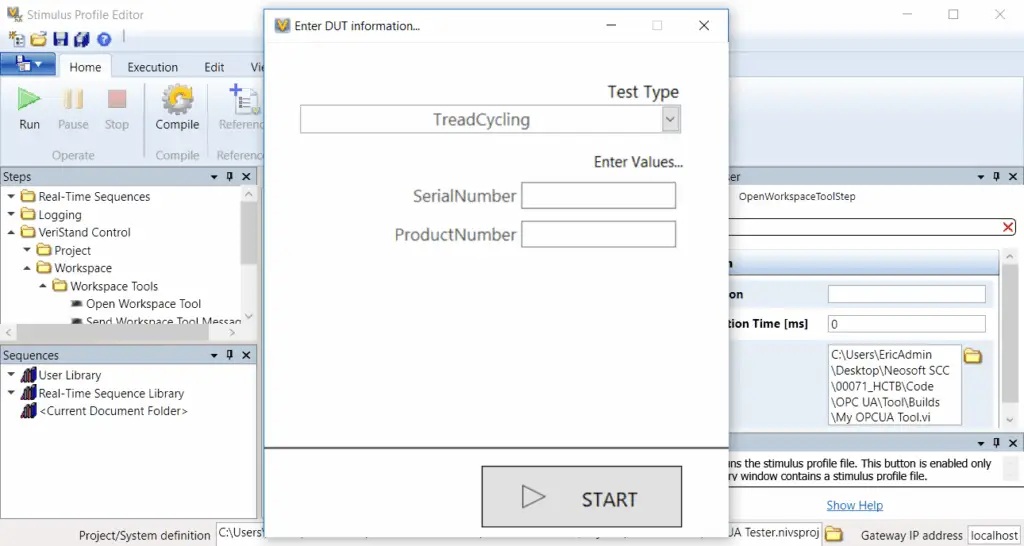
With this trick, you can launch a daemon or an additional UI during the execution of the stimulus.
Note: The VI is launched asynchronously—once the VI is triggered, the stimulus sequence continues to execute. If you need to execute a VI in a blocking manner (for example, to request user interaction as in the example above), you’ll need to build an executable from the VI and call it using the “Command Shell” step.
NI Offers a (Truly) Portable CAN Module
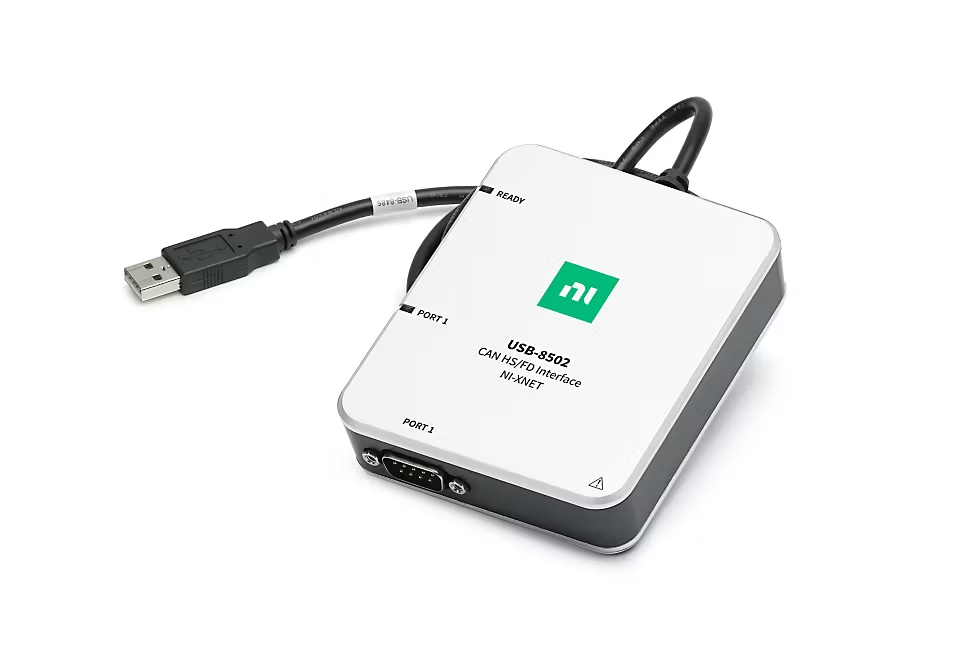
In the fieldbus world, National Instruments wasn’t always a dominant player, but still offered an interesting product range thanks to its diversity and integration into a broader system (including data acquisition or machine vision, for example). On the software side, the NI-XNET driver supports CAN (including CAN-FD and J1939), LIN, and FlexRay protocols using the same functions. However, the real hardware breakthrough came in 2017 with the release of the USB-8502 and USB-8506 modules.
These modules are relatively small, but most importantly, they are powered via USB and can also supply power to the CAN/LIN bus. This makes them excellent candidates for portable monitoring or diagnostic applications—typically lightweight and simple—generally requiring only a CAN/LIN interface and a laptop. All at a more affordable price point than before (comparable to competitors offering off-the-shelf solutions).
Making the most of these modules, NeoCANView was specifically designed for this type of application. Simple, intuitive, and fast, it allows you to connect to a CAN network in just a few clicks. A perfect match!
What to Do with Your Windows XP Systems?
4 April 2017
What to Do with Your Windows XP Systems?
Since April 8, 2014, Microsoft has ended support for Windows XP. This means no more security updates or technical assistance. Before starting any migration, there are several key factors to consider.
National Instruments has published a document on the subject, available at the following link: http://www.ni.com/newsletter/52276/en/
In summary, here are the recommended steps:
Choose the target Windows version: Windows 7, 8, or 10. In some cases, this is dictated by your environment or software compatibility.
Determine if hardware upgrades are needed: Assess whether the hardware connected to the PC needs updating or can still be supported.
Validate driver and development environment compatibility: Based on the previous step, you’ll need to verify driver availability, development tools support, access to source code, and other related aspects.
We’ve already completed several successful migration projects. In some cases, systems were extremely outdated (e.g., Windows 2000 / LabVIEW 6.1), and we successfully helped migrate them to Windows 7 and Windows 10.
Error 97 with Microsoft Office ActiveX API in the Report Generation Toolkit
October 27, 2017
Error 97 with Microsoft Office ActiveX API in the Report Generation Toolkit
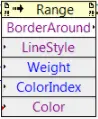
When using the Report Generation Toolkit, you may encounter Error 97.
This error can occur if the version of Microsoft Office used to develop the LabVIEW code differs from the version currently installed. For instance, the error might appear if the code was developed with Office 2010 and later run on a machine with Office 2016. It can also arise if the code or EXE is moved to a target with a different Office version.
The fix is straightforward—if you know where to look!
Cause:
Error 97 is caused by discrepancies between ActiveX function prototypes across different Office versions. LabVIEW is unable to automatically adapt to these changes.
Solution:
First, install the Office version you plan to use on the target system. Then, perform a mass compile of the LabVIEW project files (Tools -> Advanced -> Mass Compile...).
But that may not be enough!
If the error persists, you’ll need to manually open the problematic VIs and identify which ActiveX method is returning the error. Then, reload the method prototype by clicking on the method name, selecting a different method, and then switching back to the original. This action usually forces LabVIEW to refresh the prototype (you may notice a change in the number of inputs/outputs).
Once all affected methods are refreshed, Error 97 should be resolved!
Important Note:
If you’re distributing EXEs to users with different Office versions, you will need to build a separate EXE for each version.
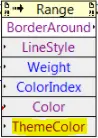
Here’s a non-exhaustive list of methods that may require reloading:
Excel:
BorderAroundSaveAs
Help us expand this list!
Build vs Buy
April 18, 2017
Build vs Buy
In most of our projects, we are constantly faced with multiple technical options for fulfilling a mandate. These options generally fall into two categories: building the solution entirely in-house or purchasing a product that meets our needs. It’s essential to clearly assess the advantages and disadvantages of both options and determine whether any trade-offs are acceptable.
Once the technical analysis is complete, the next step is to evaluate the financial aspects of the options. National Instruments has published a paper outlining the key elements not to overlook when performing this type of analysis for an automated test system. You can read the document titled “Modeling the Total Cost of Ownership of an Automated Test System” at the following link:
👉 http://www.ni.com/white-paper/53364/en/
There is also another document from National Instruments specifically geared toward embedded system projects. NI has created a simplified cost calculator available here:
👉 http://www.ni.com/buildvsbuy/
We’ve assisted many companies in conducting this type of technical and financial assessment, and we’d be happy to help you as well!
This project replaced an obsolete electronic board with a new frequency processing system for jet engines. Developed on an NI CompactRIO platform using LabVIEW Real-Time and FPGA, it ensures reliable signal acquisition, real-time analysis, and long-term system performance.
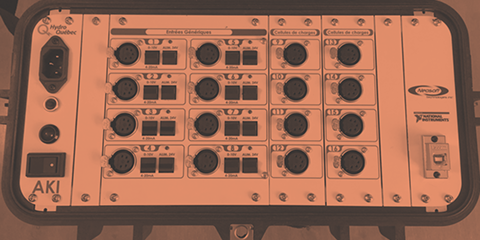
Portable data acquisition and analysis system designed for field measurement.
The AKI System provides a complete and scalable solution to capture, visualize, and analyze multi-sensor data with precision and flexibility.
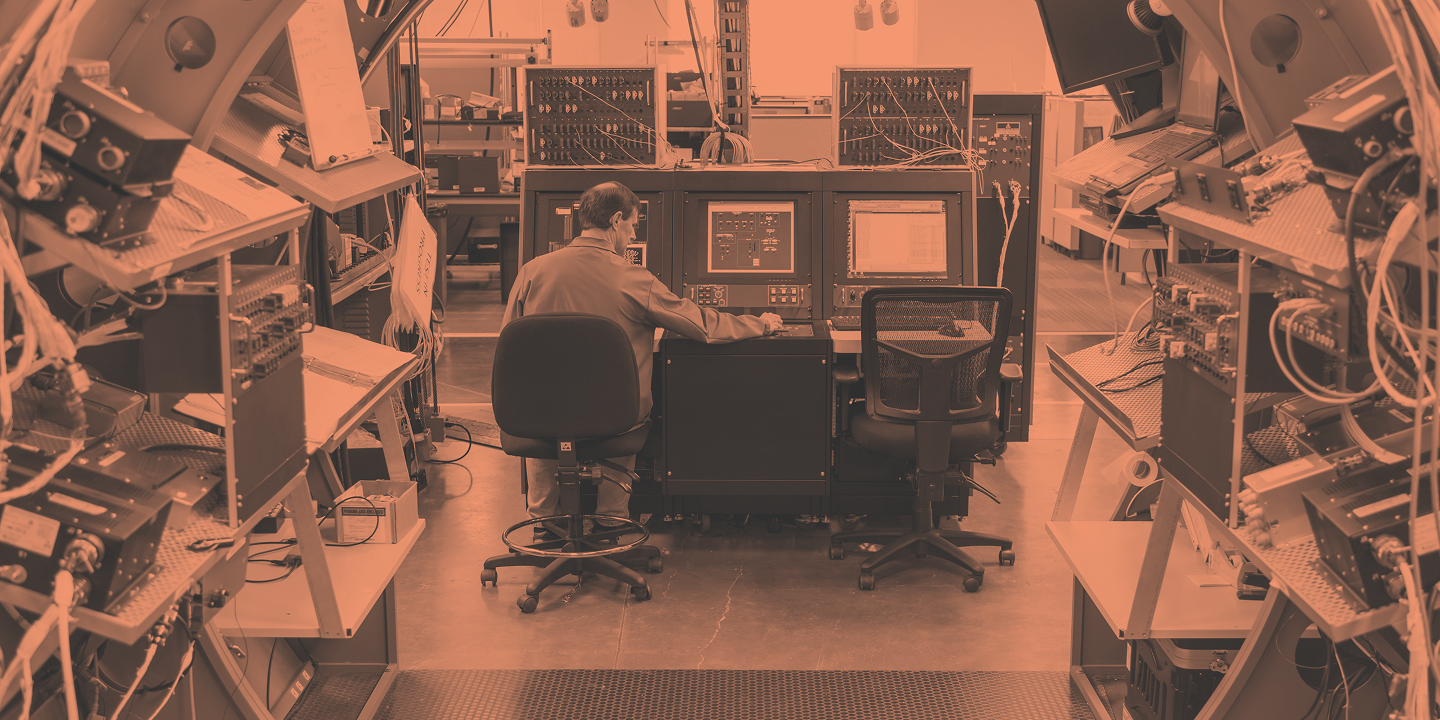
Neosoft developed an HIL test bench to validate avionics control units (LRUs) in a real-time, deterministic environment.
This flexible and scalable solution provides synchronization, control, and monitoring through LabVIEW.